Automations that keep deals moving
Trigger on any record change, route work to the right rep, and let AI handle the busywork between stages — without leaving your CRM.
Trusted by fast-moving revenue teams
“Atrium made our CRM context usable by the team and by AI. Pulse and workflows now operate from the same source of truth.”
Jonah Marsh
VP Sales, Tidewater
Your pipeline, on autopilot
Deals shouldn't stall because someone forgot
Follow-ups, routing, and handoffs slip when they depend on memory. Workflows watch every record change and act the moment something needs attention.
- Trigger on any field change or timeline event
- Route leads to the right owner automatically
- Nudge stalled deals before they go cold
“Follow-ups stopped depending on memory. Deals that used to sit for a week now move the same day.”
Marcus Feld
Head of Growth, Loamworks
Trigger
Deal moves to Proposal
Condition
Deal value > $25,000
Action
Assign to senior AE
Action
Schedule follow-up in 2 days
AI steps inside your automations
Go beyond if-this-then-that. Drop AI steps into any workflow to summarize a record, draft a follow-up, or score a lead — grounded in live context.
- AI drafts, summaries, and scoring as steps
- Branching logic that reads record context
- Human approval gates wherever you want
“Our lead routing went from a rules spreadsheet to one workflow with an AI scoring step.”
Omar Haddad
RevOps Lead, Summit
Pulse summary
Summit Freight is in late-stage negotiation. Security review cleared Tuesday; procurement wants net-60 terms. Champion (Dana C.) asked for an updated order form by Friday.
Specialist handoff
Everything you need to automate revenue ops
Build in minutes, run with guardrails, and see exactly what every automation did and why.
Visual builder
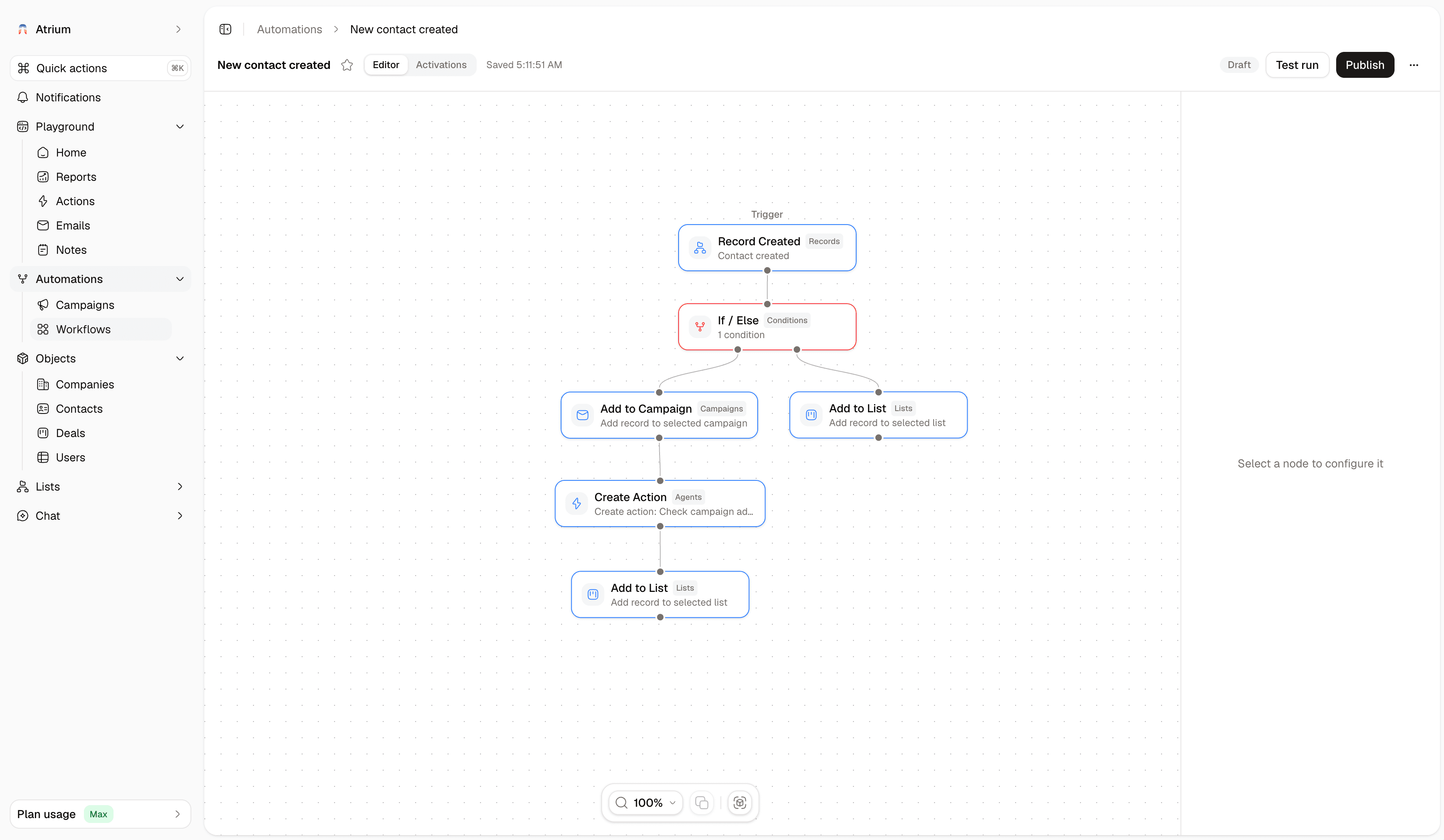
Compose triggers, conditions, and actions on a canvas anyone on the team can read.
Smart routing
Assign leads and tasks by territory, load, or any record field — instantly and fairly.
AI actions
Summarize, draft, classify, and score as native steps inside any workflow.
Time-based triggers
Act on inactivity, upcoming renewals, or anything else the calendar should drive.
Alerts where you work
Notify owners in Slack or email the moment a deal needs a human.
Full run history
Every execution is logged step by step, so you can audit, debug, and trust your automations.
From manual process to running workflow
Start from a template or a blank canvas — most teams ship their first automation the same day.
Pick a trigger
Any record change, timeline event, or schedule can start a workflow — no engineering required.
Add steps and guardrails
Chain conditions, actions, and AI steps, with approval gates wherever judgment matters.
Watch it run
Follow every execution on the record timeline and refine as your process evolves.
Trusted by the people who carry the number
“Atrium gives Pulse the same customer context our team uses every day. That changes AI from a writing helper into part of the operating system.”
Maya Okafor
Head of Revenue Ops, Hatchline
“Records, workflows, reporting, and AI all work from the same source now. The CRM finally feels like where execution starts.”
Dana Cho
Sales Operations Manager, Summit Freight
Questions about Workflows?
Triggers, AI steps, and how automations stay safe and auditable.
Still unsure? Talk to our team and we'll walk you through it.
Switch to a CRM that acts, not just records
Give Pulse, workflows, campaigns, and reporting the same customer context your team trusts, then let AI help turn that context into action.
Get startedJoin the teams already running their revenue on Atrium.